Phoenix is a new pet in Crimson Desert that was added with the April 23, 2026, update. The update even added many new additions like game difficulty settings, new storage items, new skills, and much more. However, this particular pet is very cool and unique with its color blends of red, orange, brown, and gold.
This article will provide a detailed guide on where to find the Phoenix and how to make it your pet in Crimson Desert.
Where to find the Phoenix in Crimson Desert
To find the Phoenix, head to the Crimson Desert, specifically in the Varnian Territory.
On the map, you must zoom in closely to find the bird’s marker at the exact location shown in the embedded image below.
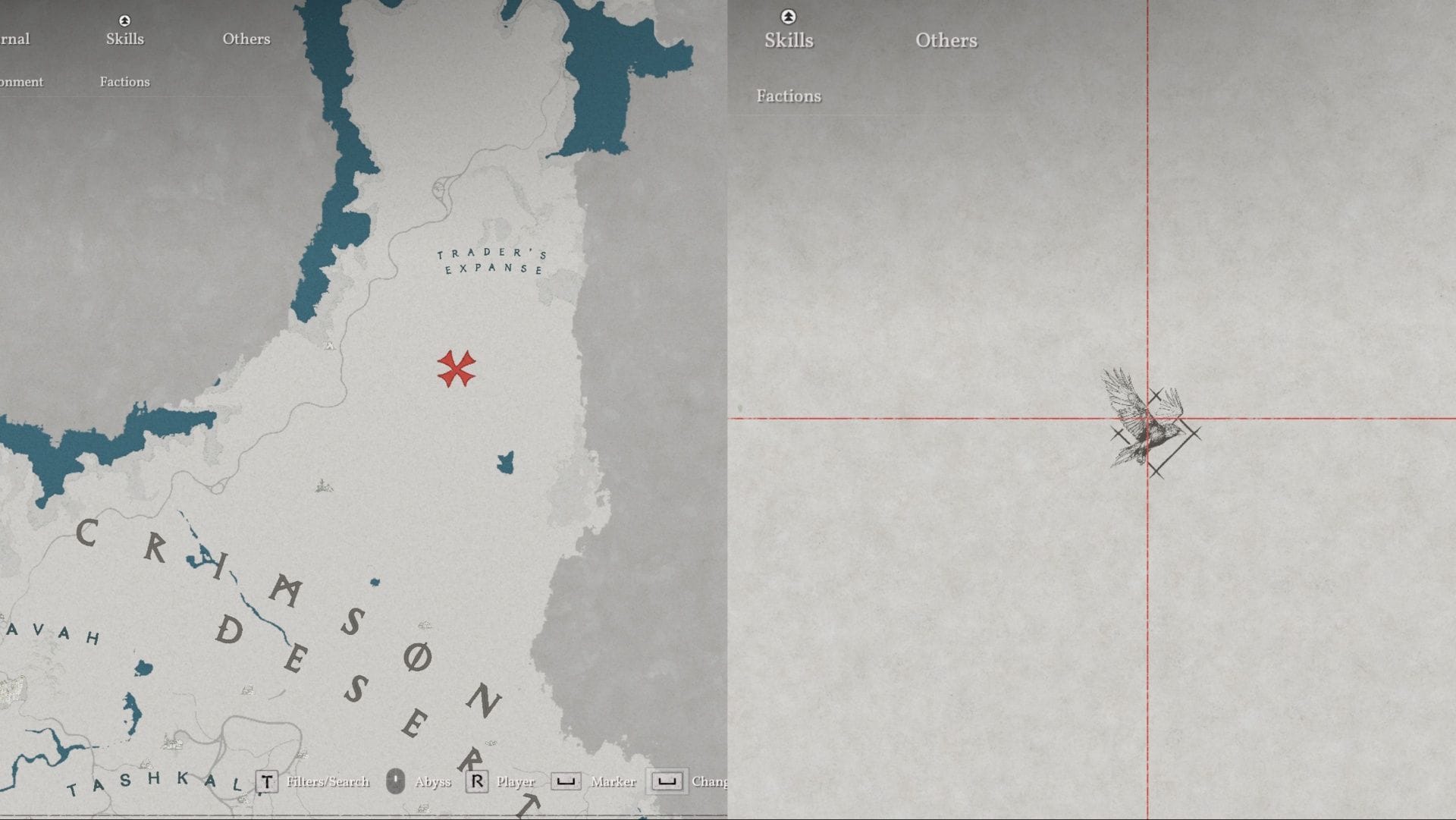
However, if you go to the exact mark, you will not find the bird. Personally, I wasted a lot of time searching for the bird in that location. So to find it, you should first head to the Pilgrim’s Oasis Abyss Nexus present west of the bird’s marker. You can even check out the image for the location.
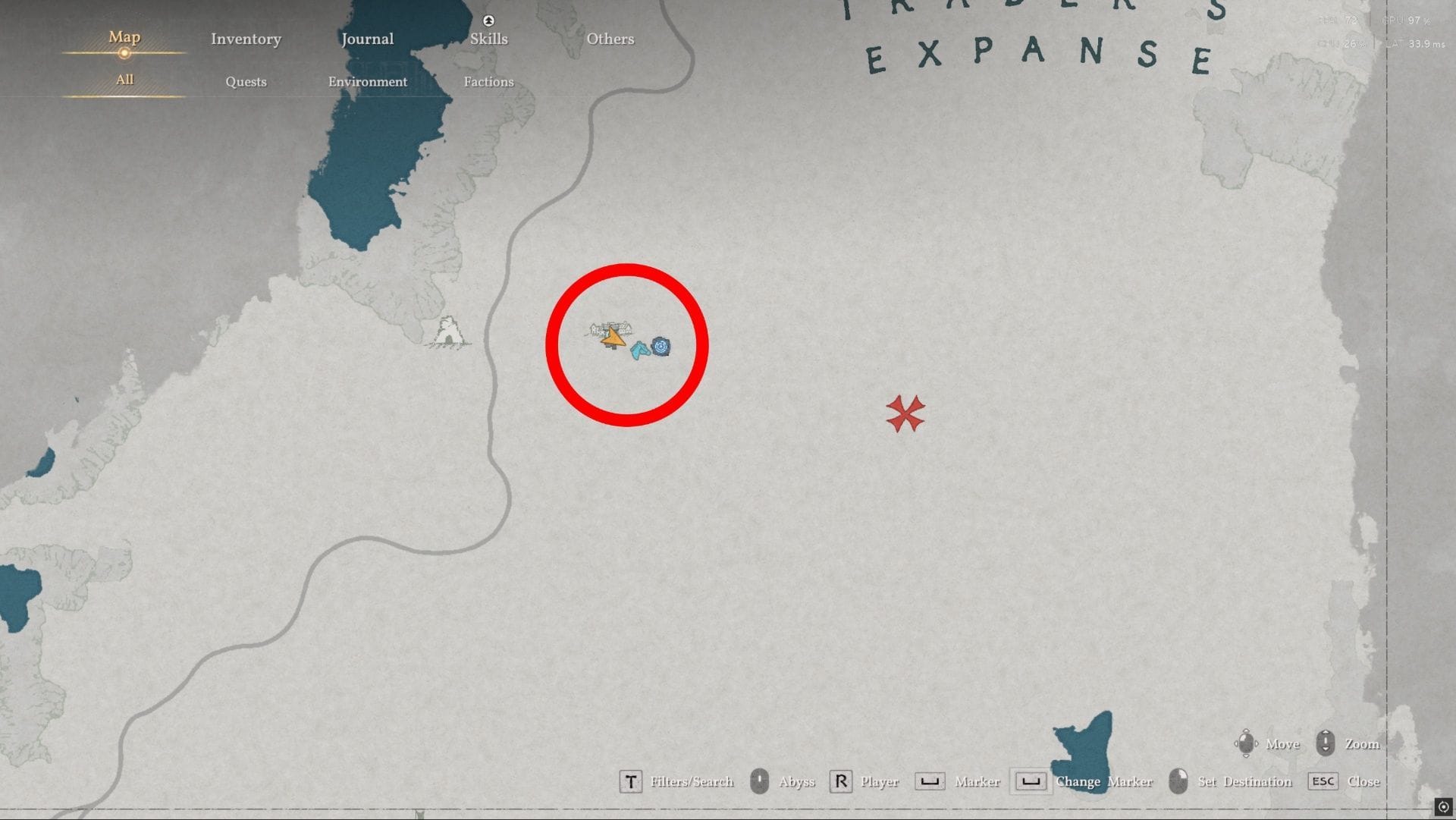
Head there and activate the Abyss Nexus. Just near it, you will even find an Abyss Cresset, so collect that too.
Now, this is where the Phoenix bird flies. So if you did not find it, just explore somewhere else, and after some time, fast travel to this Abyss Nexus, and you will have a high chance to see the Phoenix flying. You can easily distinguish it, as it flies among some small birds surrounding it.
Now that you know the location, let us find out how to make it your pet.
Also read: Crimson Desert patch 1.04.00 notes
How to make the Phoenix your pet in Crimson Desert
To make this Phoenix your pet, you first need to eliminate it. It is highly recommended that you level up your Marksmanship skill. You should have the Marked Target and Charge Shots skills unlocked. This will make it extremely easy to take it out.
Second, make sure you have explosive arrows, which will further make it easy to take it out.
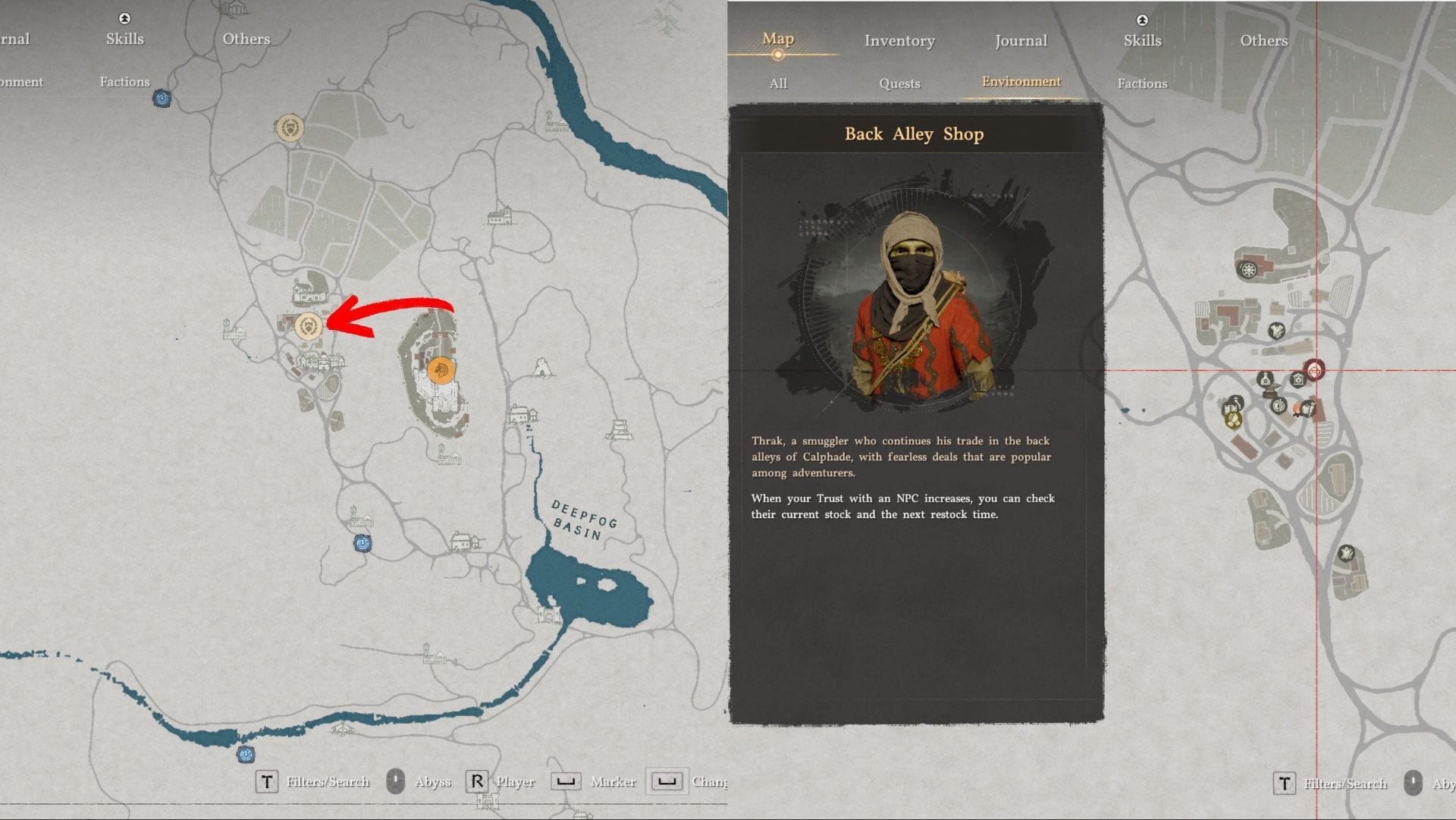
If you do not have any explosive arrows, you can head to the Calphadean Territory, just north of Hernand, and there you will find a Back Alley Shop that sells explosive arrows. Refer to the image for the location.
Now that you have everything that you need, fast travel to the Pilgrim’s Oasis Abyss Nexus. There, when you find the Phoenix flying, run fast and try to stand just below it.
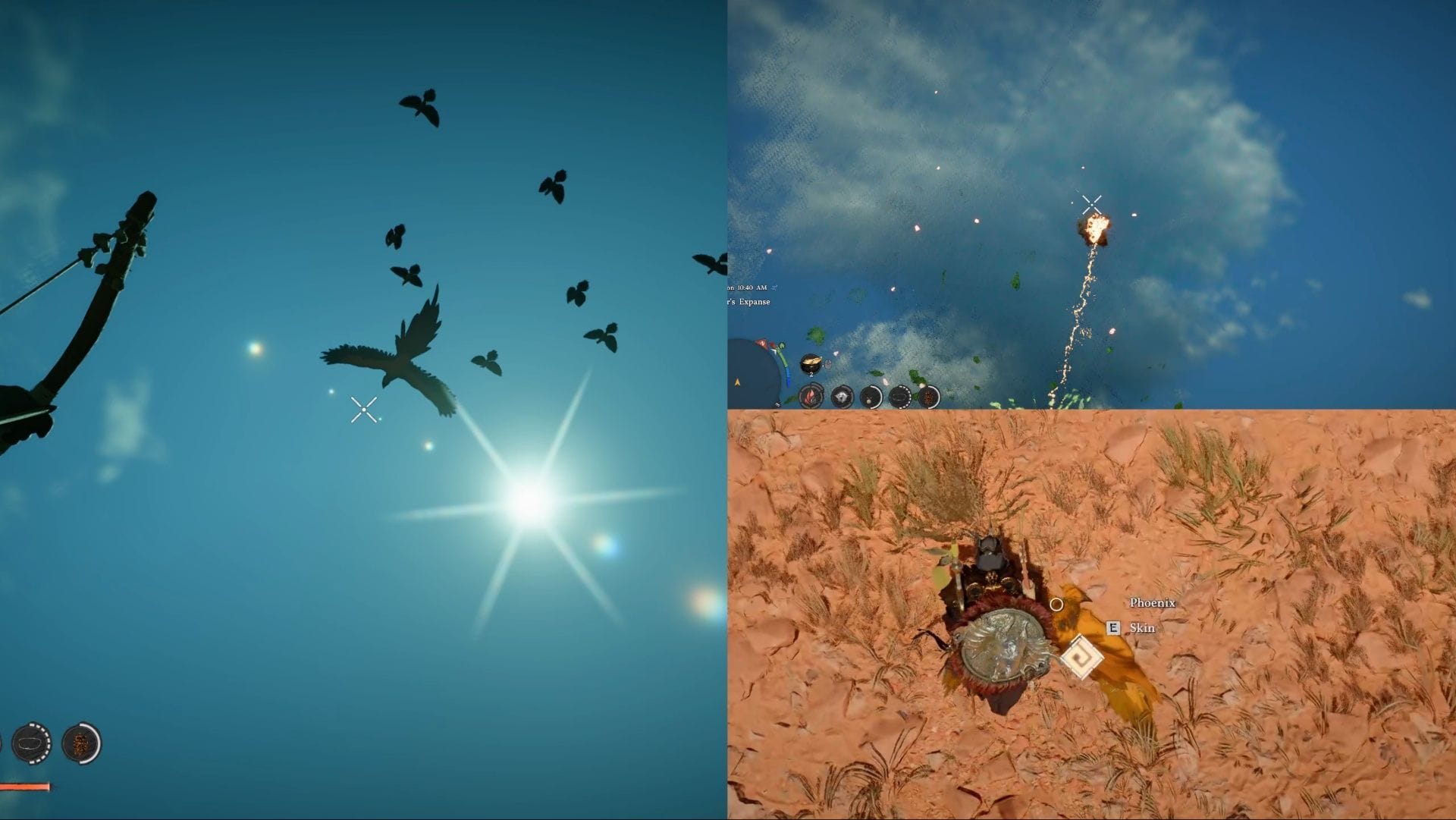
Equip your explosive arrows and use your bow, and immediately activate Focused Shot by pressing X on PC or L3+R3/LS+RS on your controller.
Now use multishot on the Phoenix by pressing the right mouse button or R1 / RB on the controller.
Then use your charged shot by pressing the left mouse button+right mouse button on PC or R2/RT on the controller.
This way you can take out the Phoenix. Once it falls on the ground, head near it, and a prompt will appear to skin it.
Now head to any witch’s lair and craft the Sigil of Solidarity (Phoenix). To do so, just head to the workshop, press Craft Abyss Gear, then press C on PC or R2/RT on the controller to check other crafting options. Once you find the Sigil of Solidarity, select it and use the Phoenix Feather to craft it.
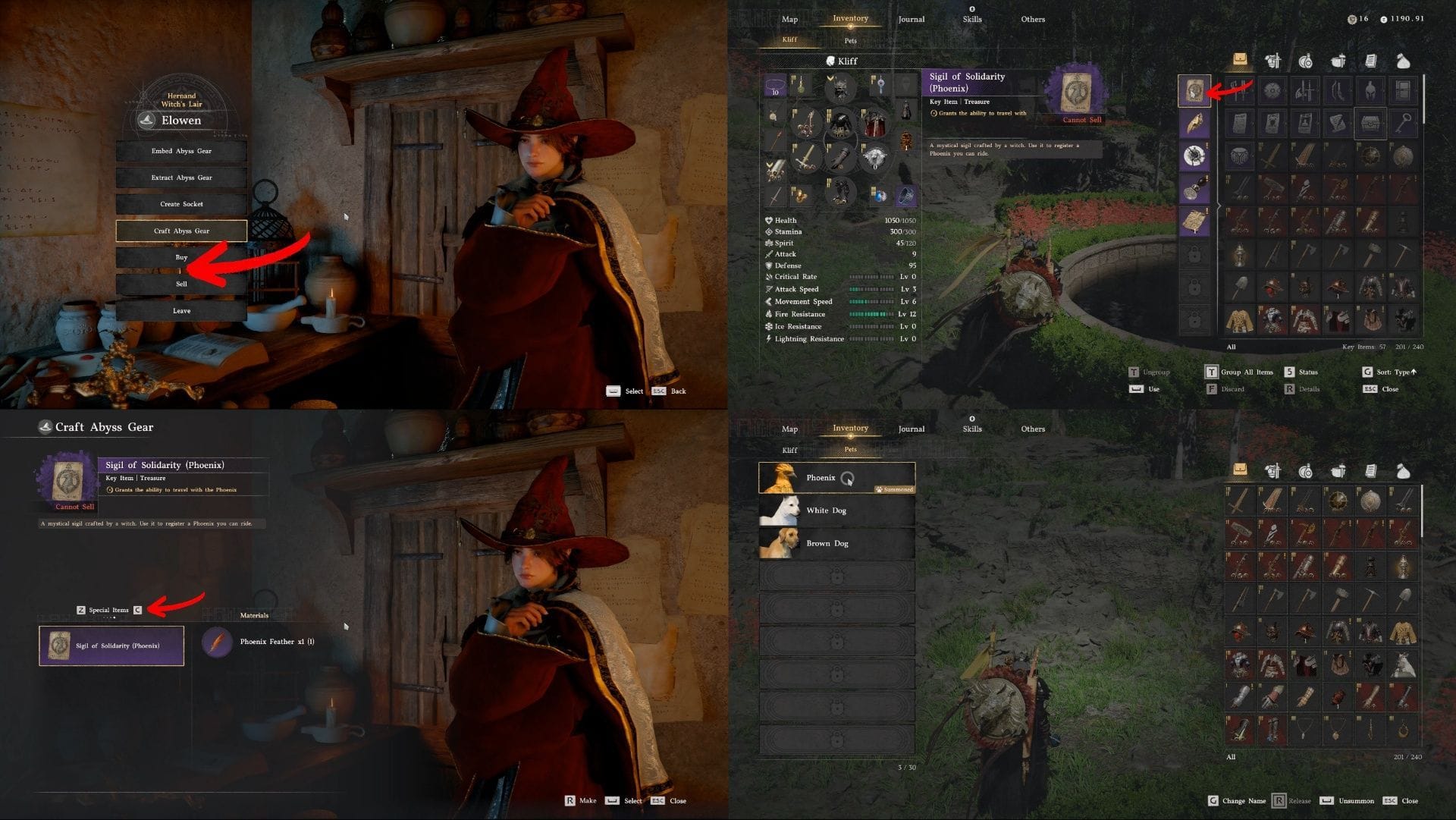
Now open your inventory and use the Sigil of Solidarity to make the Phoenix your pet.
Now to summon it, just open your inventory, head to the pets menu, and select the Phoenix as your pet.
Read more: How to solve Cradle of Truth Abyss puzzle in Crimson Desert
Check out our other Crimson Desert articles:
Are you stuck on today’s Wordle? Our Wordle Solver will help you find the answer.
Edited by Animesh Talukdar